Download Facebook videos and Reels
Paste the link to a public Facebook video or Reel below, then tap Download.
- Free, no account needed
- Your videos are never stored
- Works on phones and computers
No sign-up, no fee — and we never keep a copy of your video.
Tick the box below to go on
Download a Facebook video or Reel
Copy the video's link
Under a feed video, tap Share. On a Reel, tap the share arrow on the right. Then tap the chain-link button in the row of round buttons.
Paste and look it up
Put the link in the box above and tap Download. Short fb.watch and share links are fine as they are.
Save the file
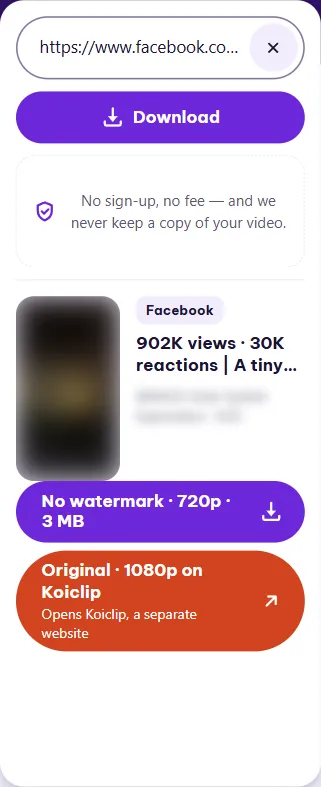
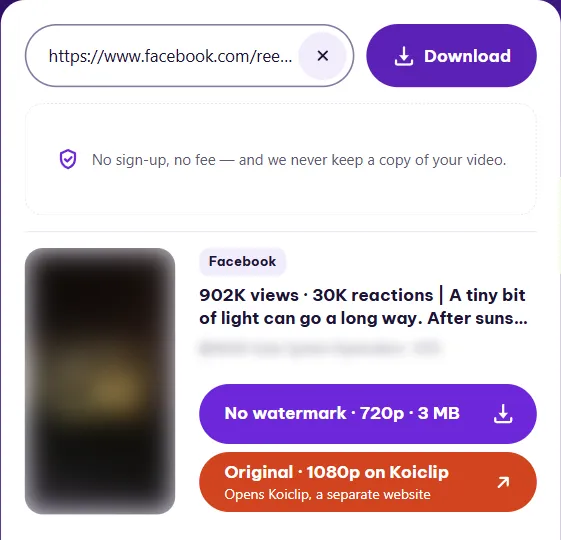
Tap the No watermark button on the result card. Your browser takes the file from there.
What quality to expect from Facebook
Facebook decides the quality, not TikGo. The No watermark button gets the version Facebook makes available without signing in, with picture and sound in one file. Its label shows the frame height and the size, so you know what you are getting before you tap.
We looked up four public Facebook videos on 17 November. Three were wide landscape clips and one was square, at 1080x1080. Two of the four came in the VP9 codec rather than the more common H.264. Size swings a lot even at the same frame size: two landscape clips of about a minute each came to 3 MB and 16 MB.
| Type | Quality | Size | Notes |
|---|---|---|---|
| No watermark | 1280x720 | 0.8 MB | h264 · The original is not offered on this site |
| No watermark | 1280x720 | 3 MB | h264 · The original is not offered on this site |
| No watermark | 1280x720 | 16 MB | vp9 · The original is not offered on this site |
| No watermark | 1080x1080 | 0.6 MB | vp9 · The original is not offered on this site |
Measured November 17, 2026 on Windows PC · How we test ›
The table’s note, “The original is not offered on this site”, means just that: TikGo itself only saves the No watermark version of a Facebook video. The orange button is explained below.
Finding the saved file
A Facebook video reaches you as an ordinary browser download, and TikGo says “Your download has started” once it is on its way. On a computer, look in the browser’s Downloads folder. On a phone, where it shows up and how to move it into your photos depends on the phone and browser; our guide to saving videos to your phone covers that.
If you opened this page from a link inside the Facebook app, you may be in its built-in browser. TikGo shows a yellow notice when it detects one, because saving often fails there; follow it to reopen the page in Safari or Chrome.
The Original button that opens another website
When it appears, the orange button starts with Original, then gives the frame height and the name of another website, and the small line under it says that site is separate. It is run by the same operator as TikGo, and that sharper file is downloaded there, not here.
Of the four Facebook videos we checked, only one had that button. The other three got No watermark alone. So if you do not see it, nothing is wrong with your link.
Public posts and busy times
TikGo only reaches public posts. Friends-only posts and videos inside closed groups end with a message that the post is private or no longer exists, and that lookup counts. When Facebook downloads are at capacity, TikGo says they are busy instead; that one does not count.
Questions
Why does the saved video look less sharp than in the Facebook app?
TikGo saves the version Facebook makes available without signing in, which is the one listed in the table above. A sharper copy, when there is one, sits behind the orange Original button, which may appear on the card.
Why is the Facebook button called No watermark?
It is the same name TikGo uses on every platform for the standard version. On Facebook, it simply means the regular file with picture and sound.
Will the person or Page that posted the video know I saved it?
No. TikGo reads the public post without signing in to any account, so nothing is sent to the person or Page that posted it.
Can I save a video from a Page I don't follow?
Yes, as long as the post is public. Following the Page makes no difference to TikGo.
Can I save the photos from a Facebook post?
No. On Facebook, TikGo saves videos only. There is no photo, cover image or MP3 option for Facebook posts.