How to copy a video link in each app
Where the share button hides in each app, and which option gives you the link.
TikGo needs the link to one post: a single video, Reel or photo post. A profile, a hashtag, a search or a feed address will not work, even if a video is playing on it. In every app below, the link sits behind the share button, one or two taps from the video.
Our screenshots come from an iPhone XR and a Redmi Note 11 Pro with the apps set to Vietnamese. So we point to each button by its icon, which looks the same in any language, and say where it sat when we checked. We have not captured the TikTok, Douyin and Instagram apps on Android or any of the four websites on a computer yet; for those, we tell you what to look for.
TikTok
On a phone
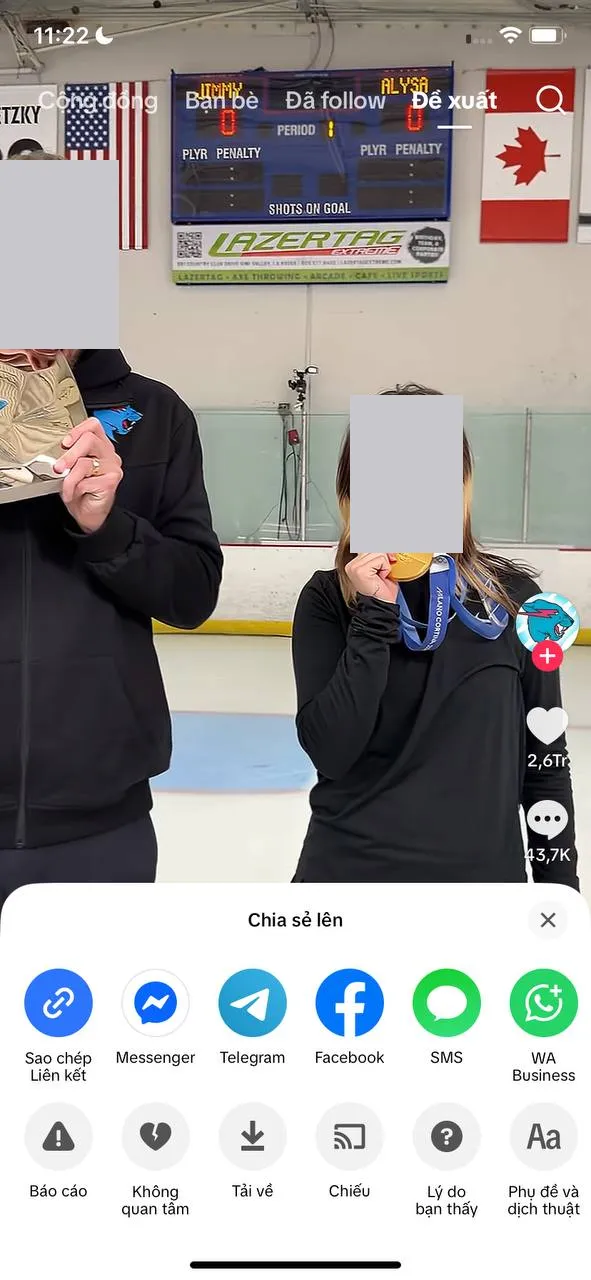
- Play the video full screen and tap the share arrow in the column of icons on the right.
- In the share panel that slides up, find the blue round button with a chain icon. On the iPhone it is first in the top row.
- Tap it. The link is now on your clipboard, ready to paste into TikGo.
Skip the download arrow in the panel’s second row: that is TikTok’s own save button, and its file keeps the TikTok logo. On Android the same arrow opens a similar panel; count on the chain icon there, not on its position. The copied link is usually a short one on vm.tiktok.com or vt.tiktok.com, and TikGo follows it to the post.
On a computer
On tiktok.com, click the video so it opens on its own page. The address bar then shows the account name followed by /video/ and a long number, or /photo/ for a photo post. Copy the whole address from there. If the bar still shows a profile, a search or the For You feed, TikGo will tell you the link doesn’t point to a video or photo post.
Douyin
On a phone
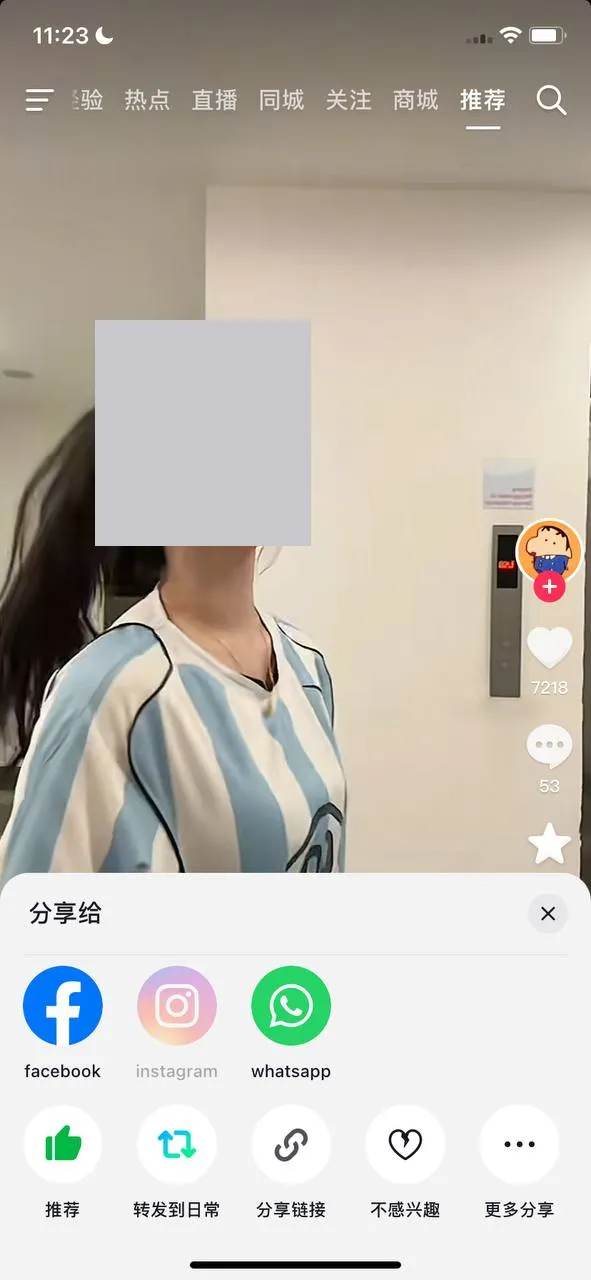
Douyin looks like TikTok but its menus are in Chinese. Tap the share arrow on the right side of the video. In the share panel, the top row under 分享给 sends the video to other apps. The row underneath holds the button you need: the third one, a chain icon labelled 分享链接. On Android, go by the chain icon rather than its place in the row.
What Douyin copies is usually not a bare link but a paragraph of Chinese text with a v.douyin.com address inside. Paste the paragraph exactly as it is. TikGo picks the address out on its own, so there is nothing to trim.
On a computer
On douyin.com, a video you click in the feed often plays over the page, and the address picks up a modal_id= followed by a long number. You can paste that address as it is. Once the video has its own page, the address contains /video/, or /note/ for a photo post, and that works too.
On a phone
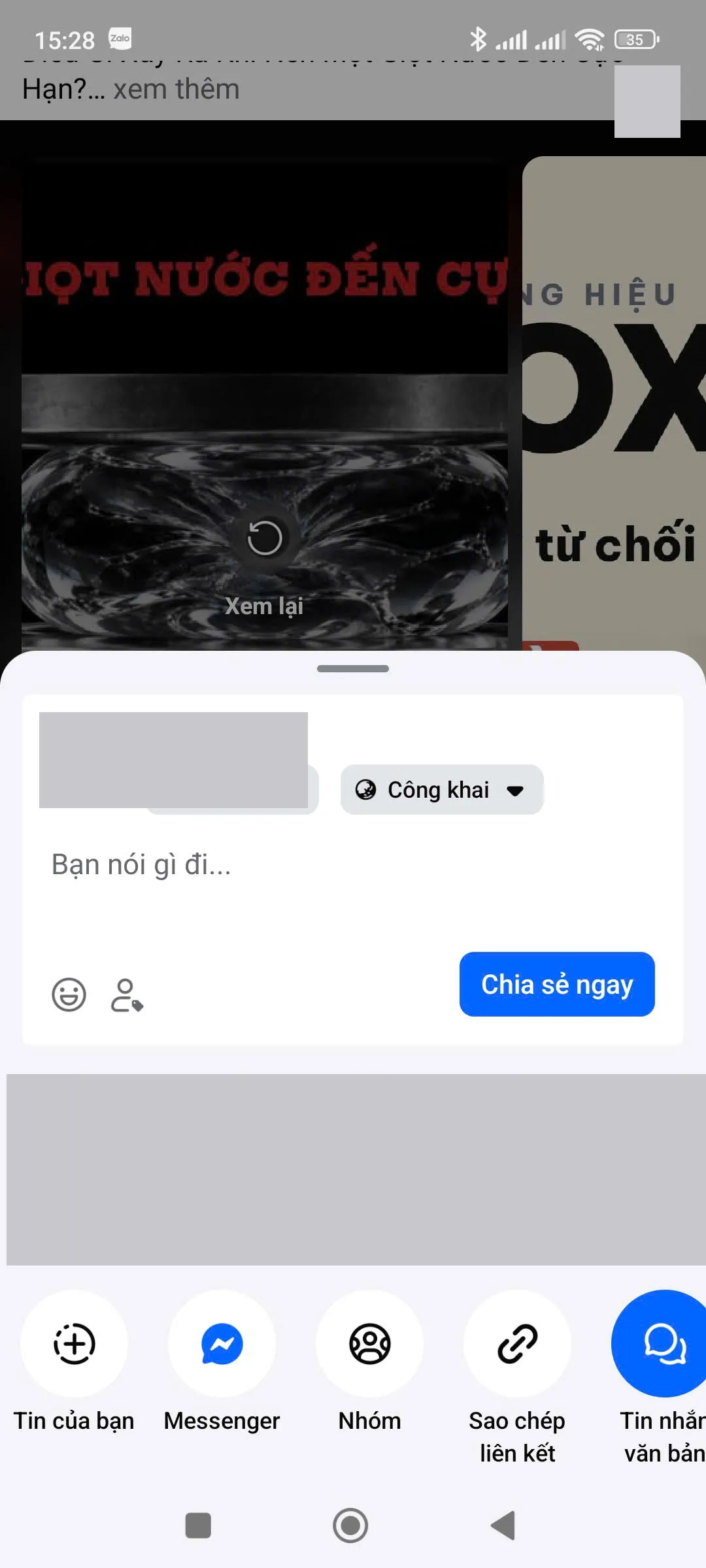
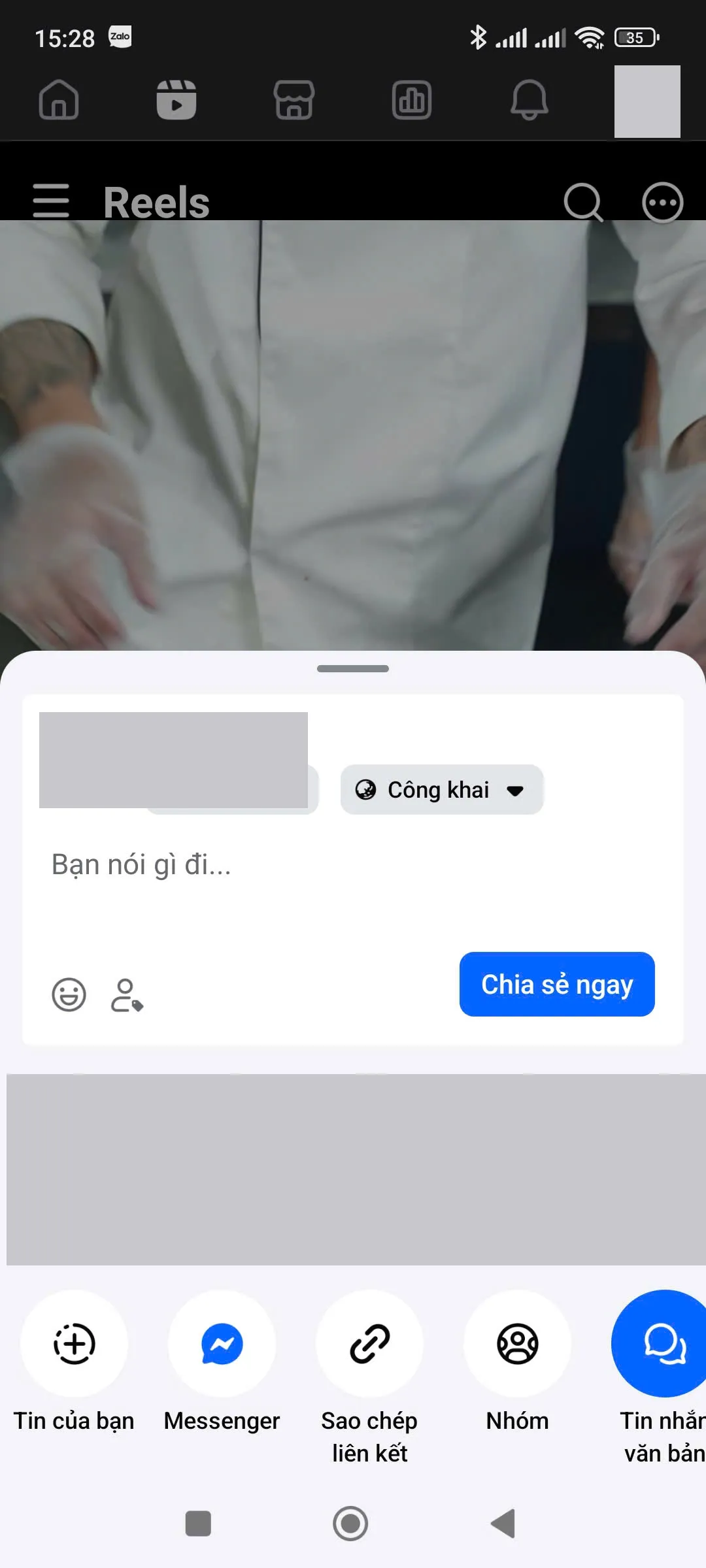
For a video in the feed, tap Share under the post. On a Reel, the share arrow is in the column on the right instead, as on TikTok. Either way, the top half of the share panel is for reposting: a text box and a blue button that publishes straight to your feed. Skip it and look at the row of round buttons at the bottom.
On the iPhone that row is headed Chia sẻ lên (“Share to”), and the chain icon (Sao chép liên kết) is the third button for a feed video. On our Android phone, a feed video puts it fourth, after the groups button, while a Reel puts it third. Facebook moves these buttons around between updates, so trust the chain icon over the count.
Facebook often hands out short links: fb.watch, facebook.com/share/v/ for videos and facebook.com/share/r/ for Reels. Paste them unchanged and TikGo resolves them to the video. TikGo can’t save Facebook posts that only contain photos.

On a computer
On facebook.com, open the video by itself before copying. Addresses with watch/?v= and a number, /videos/ or /reel/ all point to a single video. A feed, a Page or a profile address does not.
On a phone
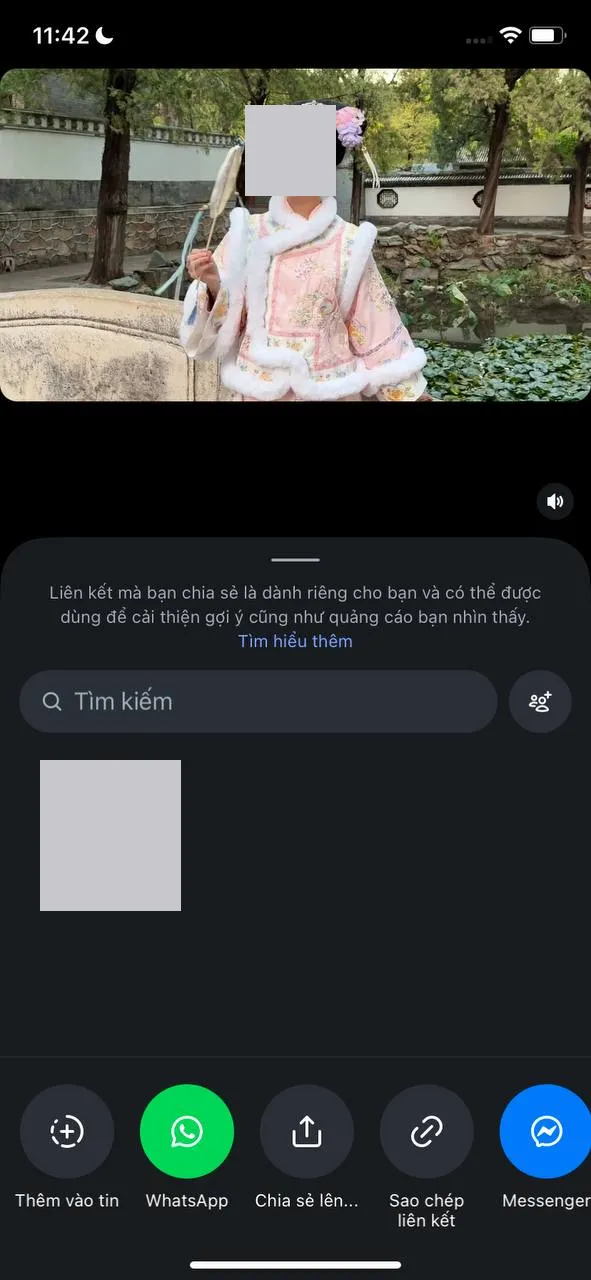
On Instagram the share button is a paper plane icon on the post. Near the top of the share panel is a search box for sending the post to someone. Further down is a row of round buttons, and the chain icon (Sao chép liên kết on our iPhone) sits just before Messenger. The up-arrow button next to it opens the iPhone’s own share sheet, which you don’t need here.
Links to a Reel contain /reel/, and links to a regular post contain /p/. Story, highlight and profile links do not work.
On a computer
On instagram.com, click the Reel or post so it opens in its own view. The address bar should now read instagram.com followed by /reel/ or /p/ and a short code of letters and numbers. Copy it from there. If you only see the account name in the address, you are still on the profile.