Find your video and get it into your camera roll
Where the file lands on each device, and how to move it into Photos, Gallery or a folder.
Pressing Download in TikGo does not save anything yet. It only looks the post up and shows a result card with one button per version, such as No watermark. The file starts coming in when you tap one of those buttons, and from then on your phone or browser decides where it goes. Every file TikGo saves has a name starting with “TikGo -”, followed by the post’s caption, or by its number when the post has no caption. Our phones were set to Vietnamese, so the screenshots show Vietnamese labels; the text uses the usual English names.
iPhone
The camera roll on an iPhone is the Photos app, and how a clip gets there depends on the video.
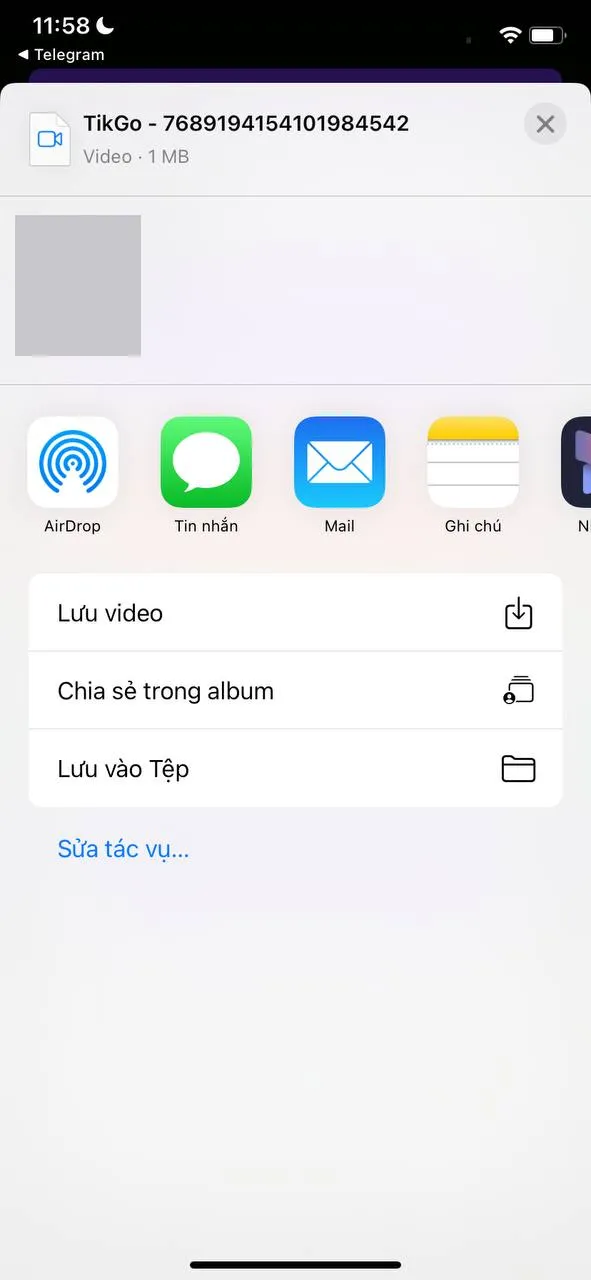
For most TikTok and Douyin videos, TikGo fetches the file inside the page and then shows Save to Photos or Files. That button opens the iPhone’s share sheet, with three rows under the app icons:
- Save Video puts the clip straight into Photos.
- Add to Shared Album sends it to an iCloud shared album instead.
- Save to Files asks for a folder. On our iPhone it offered the Downloads folder in iCloud Drive.
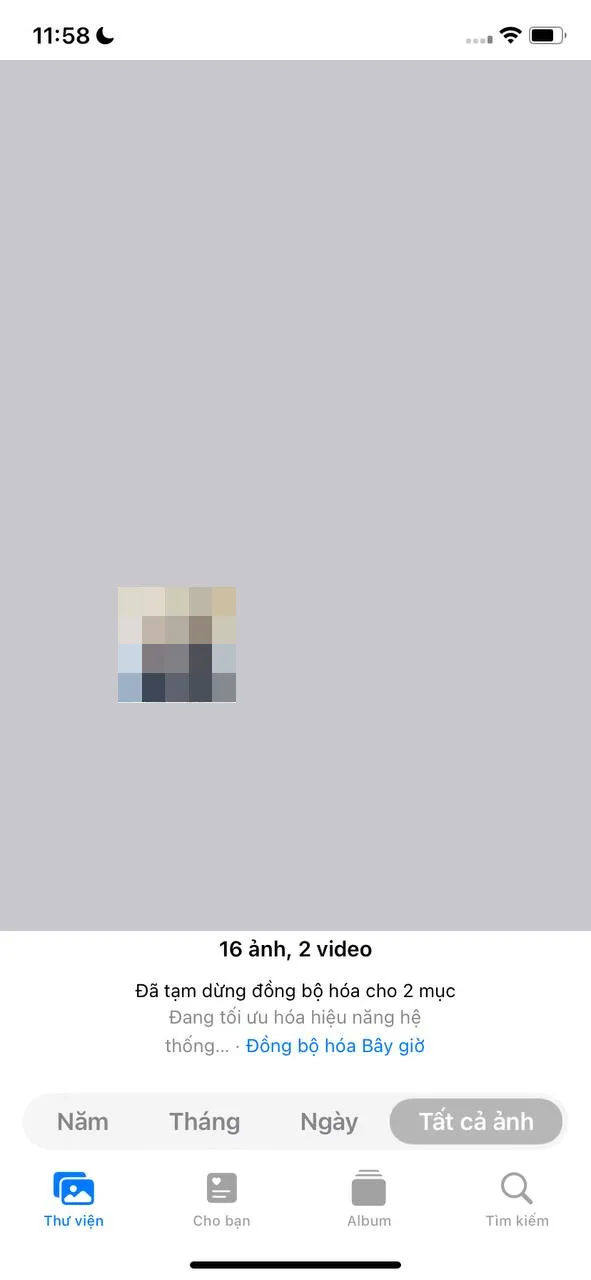
Closing the sheet with ✕ saves nothing; tap the button again to bring it back. In Photos, the clip appears on the Library tab under All Photos, at the bottom, and the Recents album that TikGo’s own hint mentions shows it too.
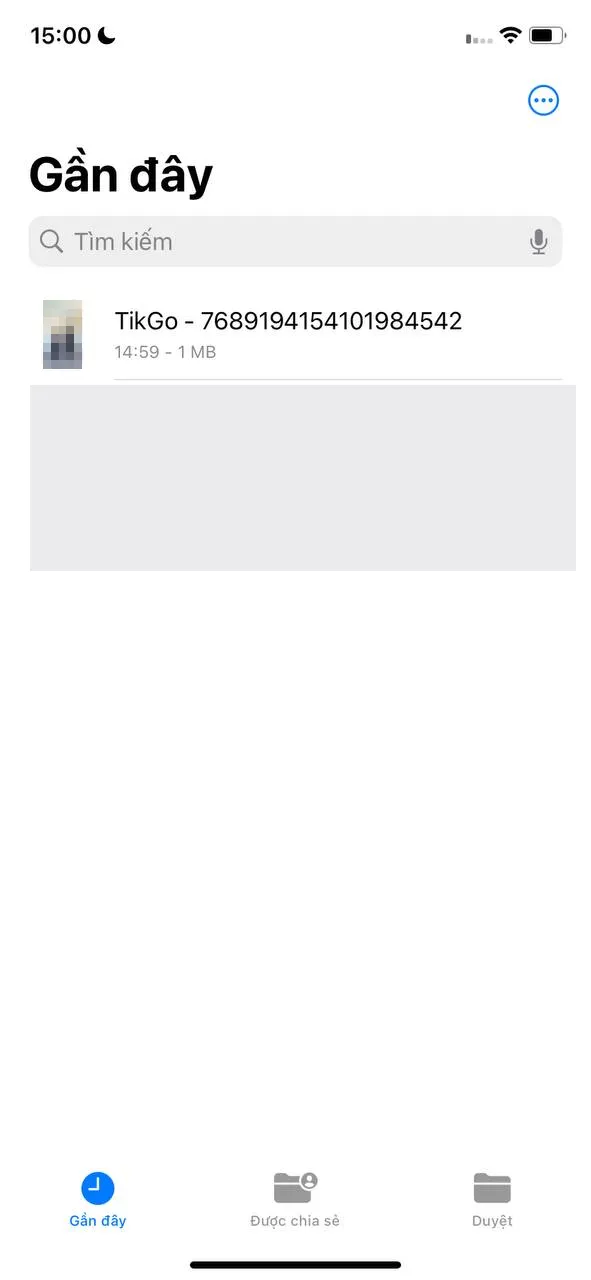
If TikGo says Your download has started instead of showing a save button, Safari has taken over the file. That is what happens with Facebook and Instagram videos, MP3 files and very large videos. Safari may first ask whether to download it; say yes. The finished file belongs to the Files app, where the Recents tab lists it first and the Downloads folder keeps it. Photos only gets a copy once you open the file, tap the share icon and choose Save Video.
Android
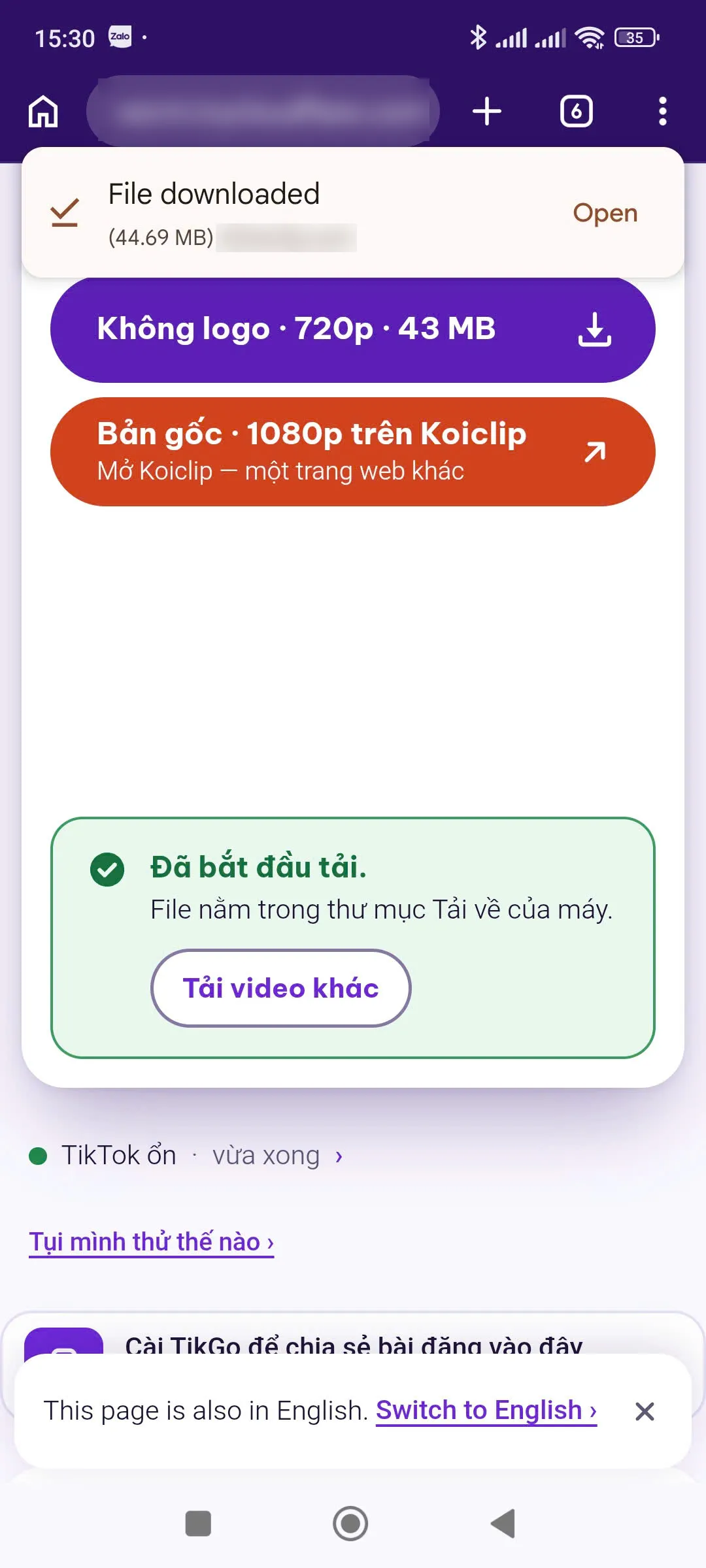
In Chrome, the file goes to the phone’s Downloads folder, but TikGo shows one of two things on the way. Either it saves inside the page, counting up with Saving and a percentage before it says Saved to your Downloads, or it hands the file to Chrome at once and says Your download has started. When the file is complete, Chrome shows a File downloaded card at the top of the page (as in our screenshot), with an Open button.
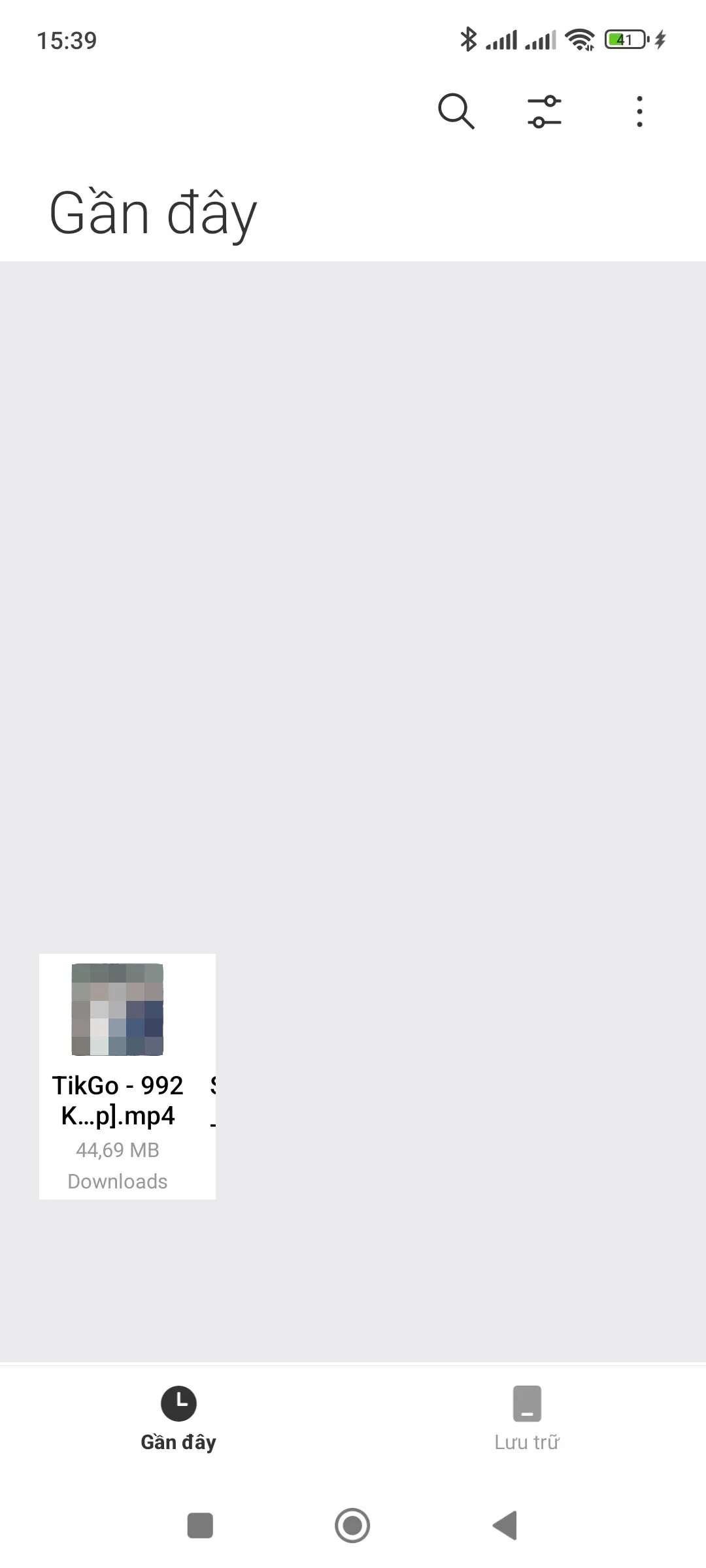
On our Redmi, the clip shows up in Xiaomi’s File Manager app (Quản lý tệp in Vietnamese) on the Recents tab, with Downloads written under its name. Gallery, Xiaomi’s version of the camera roll, lists it on the Photos tab with no extra step. Other brands ship their own file and gallery apps, and the folder may be called Download; searching the file app for “TikGo” should find it on any of them.
Install the Android app
Installed on Android, TikGo joins the phone’s share menu, so a post you share from another app can go to it without copying anything. Pick TikGo from that menu and it opens with the link already in the box and starts looking it up on its own. All that is left is choosing a version.
To install it, use a regular Android browser such as Chrome. The tool page shows a strip with one line of text you can tap: “Install TikGo and share posts to it in one tap.” It is not shown inside other apps’ browsers, once TikGo is installed, or after you close it with the ✕. Tapping the line opens Chrome’s own install prompt when Chrome is ready for it; otherwise it brings you here. In that case Chrome’s three-dot menu is the other way in, usually through an item such as Add to Home screen or Install app. We have not photographed that menu, so the wording on your phone may differ.
Opened inside another app
A TikGo link you tap in Messenger or Facebook usually opens in the app’s built-in browser rather than in Safari or Chrome. Saving often fails there, so TikGo shows a yellow notice that names the app. Inside Messenger it says Facebook, because Messenger uses Facebook’s browser: “You’re browsing inside Facebook. Saving often fails here — open this page in Safari or Chrome.” The link under it leads back to this section. If you try to download anyway, the message that follows adds a Copy this page’s link button, so you can paste the address into Safari or Chrome.
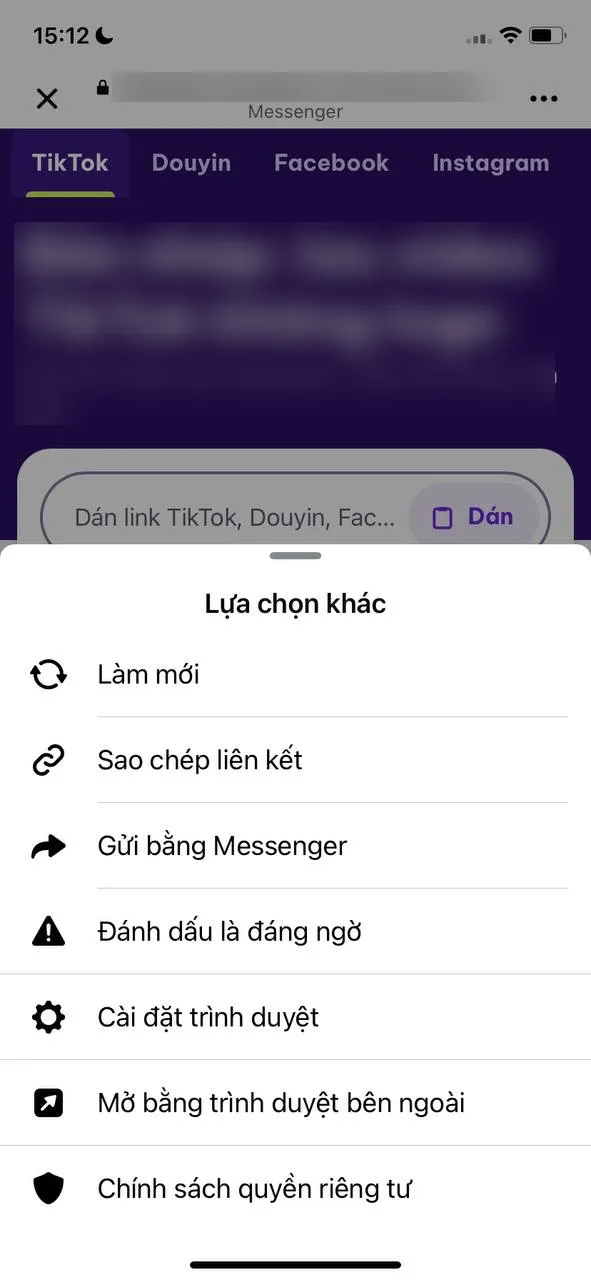
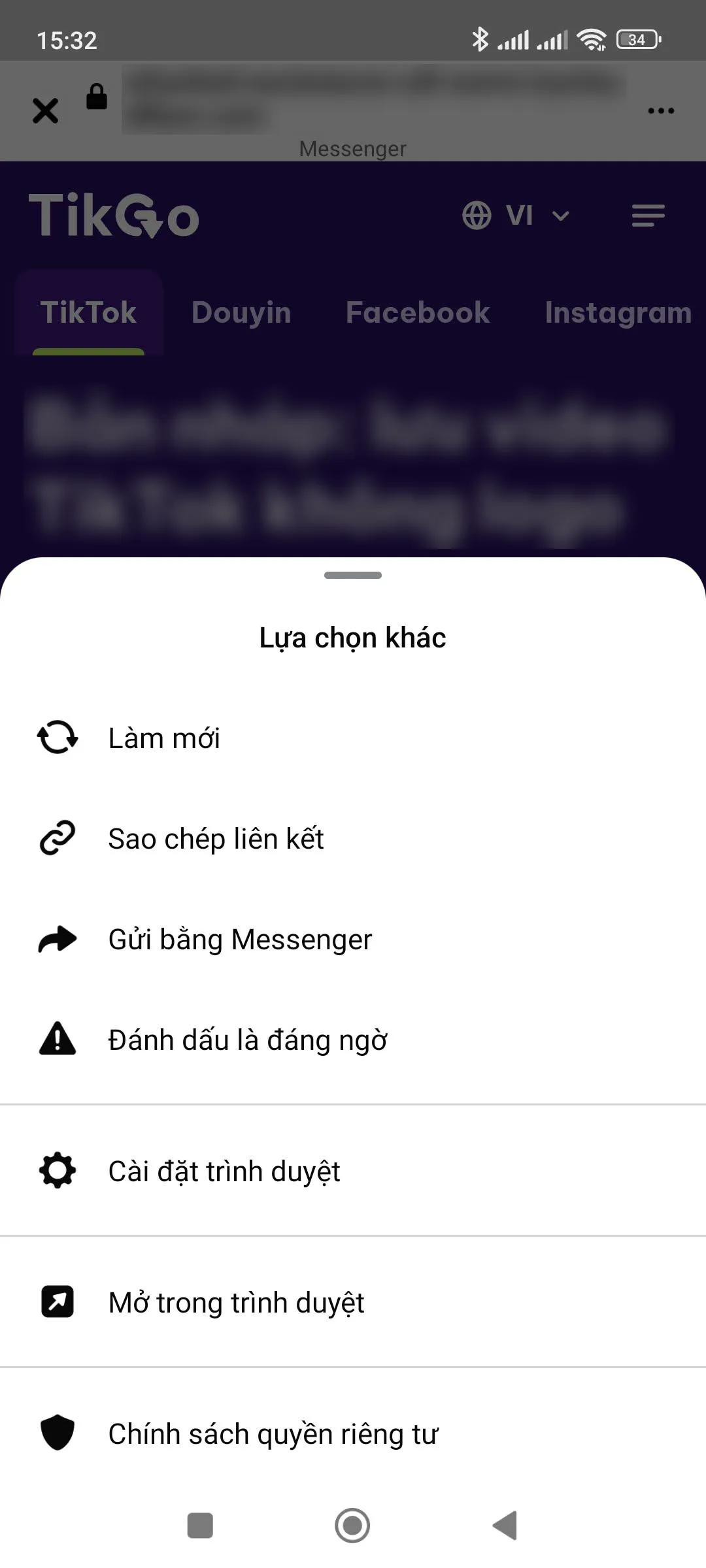
The quicker route is the app’s own menu. In Messenger, tap the three dots in the top-right corner of the page. A sheet titled Lựa chọn khác (“More options”) opens. On the iPhone, pick the row with the arrow-in-a-box icon, Mở bằng trình duyệt bên ngoài (open in external browser). On Android, the row with the same icon reads Mở trong trình duyệt (open in browser). A chain-icon row in the same sheet copies the address instead, if you would rather paste it yourself.
Our screenshots are from Messenger only. Inside the Facebook app itself, look for the same kind of three-dot menu with an option to open the page in a browser.
Computer
On a computer, the browser saves the file to its Downloads folder, like any other download. In Chrome on Windows, Ctrl+J opens the downloads list, where you can play the file or show it in its folder. If the video is meant for your phone in the end, it is often simpler to paste the link into TikGo on the phone instead.